Cat Pizza Unblocked — Play Free Online
More Cooking & Restaurants games


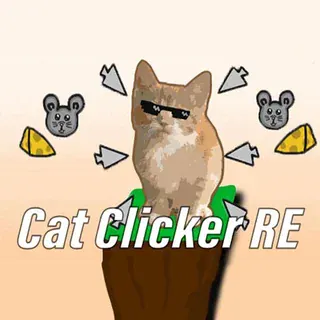









Cat Pizza unblocked: play Cat Pizza online free right here in your browser — no download, no sign-up, works on a school Chromebook.
Cat Pizza puts you in charge of a cozy neighborhood pizzeria where feline patrons drop by for freshly baked pies. Instead of watching automated timers, you handle each phase of the kitchen by hand—reading incoming order tickets, laying down the right balance of sauce and cheese, scattering toppings accurately, and pulling the crust from the oven before it burns.
The flow will feel instantly familiar to anyone who enjoys the busy service loops on Monkey Mart. Where supermarket management centers on stocking shelves and keeping checkout lines moving, Cat Pizza focuses on quick station-to-station kitchen execution. Rounds move quickly, challenging your precision and multitasking as hungry cat customers line up at the front counter.
Success comes down to balancing speed with careful assembly. Slapping ingredients down carelessly reduces your final score, while hesitating at the prep table causes customer patience to slip. Earning top-tier tips allows you to expand your menu, introduce fresh toppings, and upgrade kitchen equipment to handle larger crowds.
How to play
You can operate the entire kitchen using a mouse, trackpad, or touchscreen. Everything starts at the order counter, where clicking an active ticket reveals the customer's recipe.
- Take the ticket: Click the customer order to review the required dough style, sauce base, and toppings.
- Prep the base: Select the correct dough, spread the sauce evenly, and sprinkle cheese across the surface.
- Add toppings: Drag or click ingredients like pepperoni, mushrooms, olives, and seafood according to the ticket layout.
- Bake and slice: Slide the prepared pizza into the oven, watch the heat gauge, and retrieve it as soon as the indicator hits the green zone. Slice along the guide lines and serve.
Tips for higher tips
Earning top payouts requires attention to detail at every workstation. Here are a few practical habits that keep profits high:
- Match topping counts exactly: Cat customers notice when an ingredient is missing or placed off-center. Distribute toppings evenly to maximize accuracy bonuses.
- Never leave the oven unattended: Burnt crusts cannot be served and waste valuable prep time. Keep one eye on the baking meter while organizing your next ticket.
- Prioritize impatient guests: Watch the patience meter above waiting cats. Serve older orders first so no customer walks out empty-handed.
Similar games on Monkey Mart
If you like running a busy shop, several other titles in our catalogue share a similar rhythm. Cat Coffee Shop pairs the same feline aesthetic with espresso brewing and pastry prep. My Super Tiny Market and Chicky Farm offer broader management loops focused on resource harvesting and stocking inventory.
Cat Pizza runs entirely in your web browser with no download required, making it easy to jump in for a quick five-minute rush or a longer management session.
Questions about Cat Pizza
Is Cat Pizza unblocked at school?
Cat Pizza runs in an ordinary browser tab from monkeymart.click, with nothing to download or install, so it plays on most school Chromebooks and work computers. If a network filter blocks the site, only that network's administrator can change it.
What are the controls for Cat Pizza?
The game is played entirely with a mouse, trackpad, or touchscreen. Click and drag to select dough, spread sauce, position toppings, and slide pizzas into the oven.
How do you earn bigger tips in Cat Pizza?
You earn higher tips by matching the exact topping layout on the order ticket, avoiding overbaking in the oven, and serving customers before their patience meter runs out.
Can I play Cat Pizza on a mobile device or Chromebook?
Yes, Cat Pizza runs directly in standard web browsers on Chromebooks, laptops, tablets, and mobile phones with no extra installation or downloads needed.
Does Cat Pizza save my progress?
Your kitchen unlocks, coins, and recipe progression are automatically saved locally in your browser so you can resume playing anytime on the same device.